
The resident record
Identity, condition flags, structured code status, care plans and the append-only clinical timeline every other module writes into.
- Residents
- Conditions
- Clinical
- Care
The platform
CareAssist is not a chart with add-ons bolted around it. Every module writes into the same append-only resident timeline, which is why the incident, the medication refusal and the physician call all appear in one place, in order.
What is inside
Identity, condition flags, structured code status, care plans and the append-only clinical timeline every other module writes into.
Shifts, assignments and handoff; the dashboard that opens the shift; the eMAR that runs the medication pass with five rights enforced.
Incident capture and investigation with statutory countdowns, the emergency centre and printable cards, and the generated paper pack for outages.
Hospice co-management, outside physicians and agencies, and therapy programmes with session attendance — none of whom need a login.
Structured allergies and IDDSI diet orders, menu cycles with derived textures and dietitian approval, and stock derived from a movement ledger.
The admissions pipeline with its scored pre-admission assessment and move-in checklist, and the family portal with its own sign-in, shared updates and visit booking.
Accounts with TOTP two-factor, per-facility isolation, reporting and exports, and the shared services every module is built on.
Capabilities
Inquiry, tour, a scored pre-admission assessment and a paperwork checklist — then the resident record in one step.
Families see the updates and photos staff choose to share, and request visits inside your visiting hours.
Structured flags and code status, visible on the roster before anyone clicks into a chart.
Published plans generate the shift's tasks. Refusals are recorded as refusals, with a reason.
Resident, drug, dose, route and time confirmed at administration — enforced in the application.
Filing a fall opens the observation protocol and starts your state's reporting countdown.
Structured allergies and IDDSI textures that reach all the way to the kitchen board.
Who is on, who they have, and an acknowledged handoff at the end of every shift.
Co-management notes, outside providers and therapy attendance — without giving anyone a login.
Stock derived from movements, par-level reordering, expiry sweeps, per-resident consumption.
Author the cycle once; textures derive per resident and portions tally by texture.
The questions asked most often, answered from the live record rather than a cached copy.
Hash-chained, uneditable by any role, covering reads of sensitive records as well as writes.
Generated paper — MAR sheets, summaries, emergency cards — for when the network is not there.
Admissions
Inquiries are captured while the family is still on the phone and move across one board — tour, pre-admission assessment, approval, move-in. The assessment scores daily living and fall risk and suggests a level of care, showing every point it added up. The nurse makes the decision.
/admissions/{inquiry} 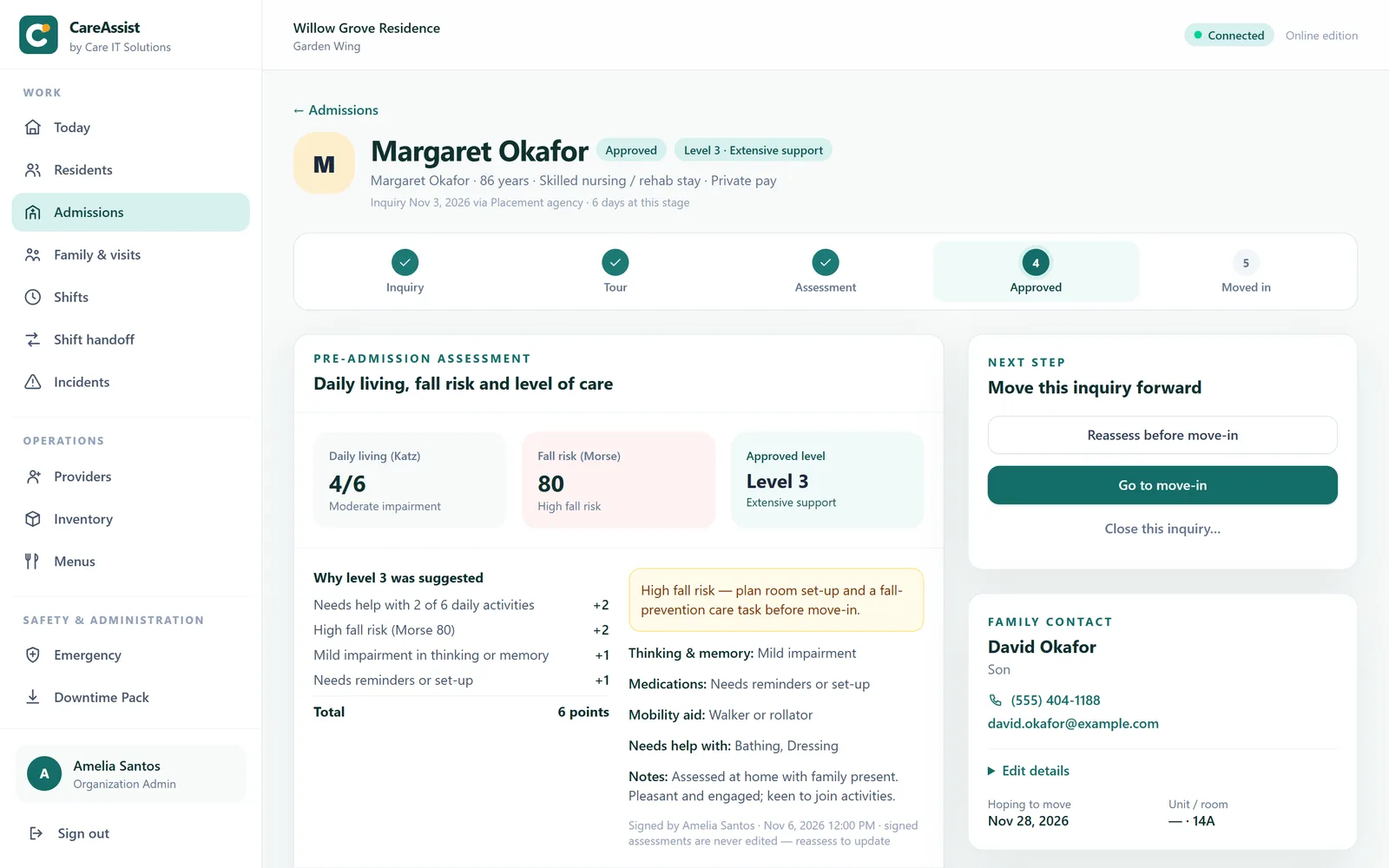
Family portal
Relatives get their own sign-in, invited from the resident's record. They see the moments, activities and wellbeing notes staff choose to share, and they request visits that the front desk confirms. The portal runs on a separate login entirely, so a family session can never reach a staff page or the clinical record.
/family-access 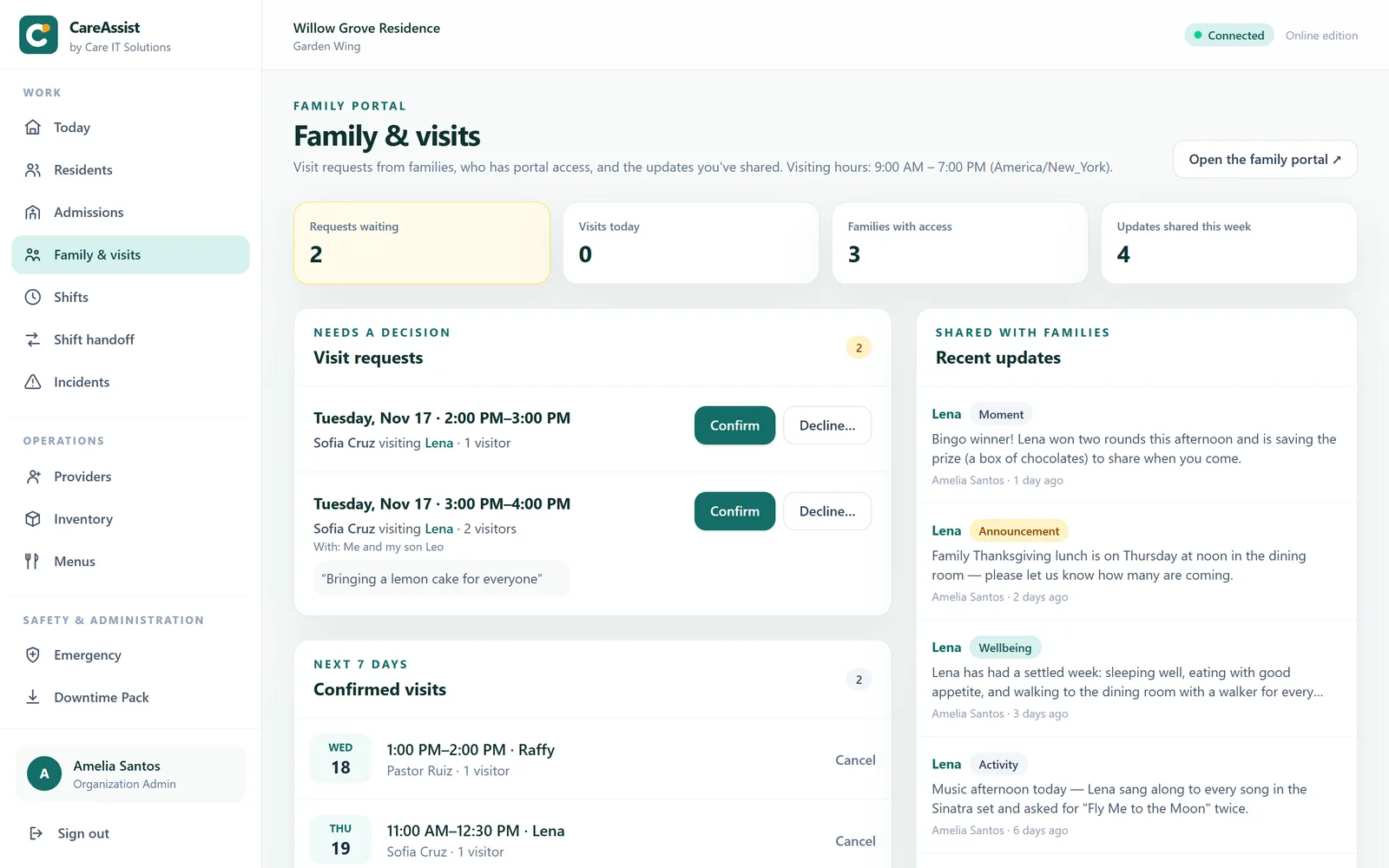
For caregivers
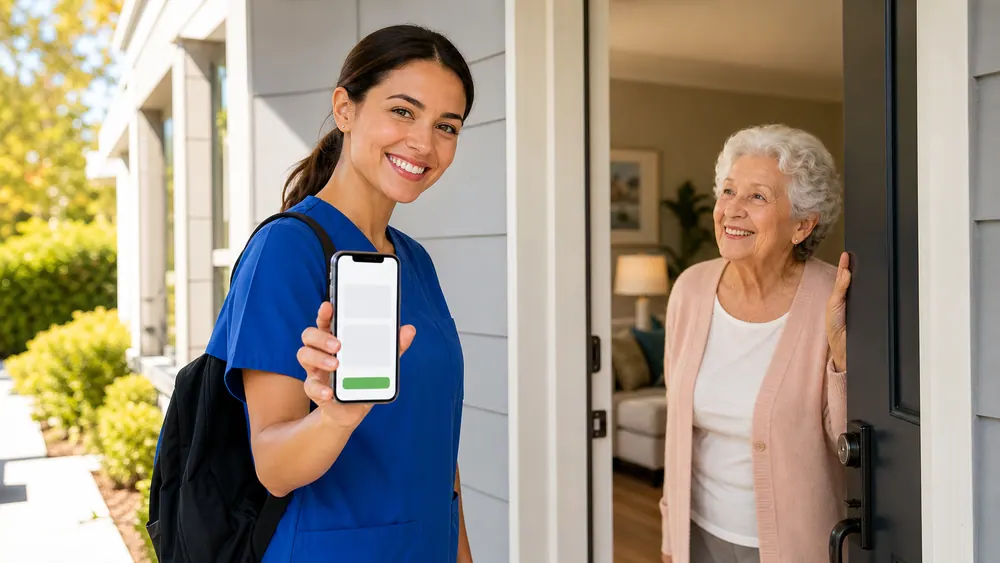
CareAssist runs in the browser on a phone or tablet — nothing to install, nothing to sync. Your assigned residents, the tasks due, and the flags that change how you approach someone are on the first screen.
For nurses
Five rights confirmed at administration, an allergy cross-check on drug stems, and an administration record that cannot be quietly rewritten afterwards.

For administrators
The incident file, the audit trail and the exports are assembled continuously by people doing their jobs — not reconstructed the week a surveyor books a visit.
Engineering you can hold us to
Each one exists because the alternative fails in a way somebody eventually has to explain to a family — or to a surveyor.
Database triggers block UPDATE and DELETE. A correction is an amendment that shows both versions, so nobody can tidy the record after an event.
The administration cannot be recorded without them. A prompt you can dismiss is not a control.
An allergy or interaction warning informs the person giving the dose; it does not lock them out. Software that stops a pass creates a workaround.
Allergies and code status are structured records. The system will not parse a sentence and act on what it thinks it found.
Occurrence times are normalised from the facility timezone server-side. A device with the wrong clock cannot misdate a clinical record.
With no state rules recorded, the countdown defaults to 24 hours for every severity — earlier than any realistic deadline. Conservative by design, and it says so on screen.
The resident record cannot be created until the assessment is signed and the required documents are ticked. A suggested care level is shown with every point behind it, and a nurse who approves a different level must write down why.
Nobody sees a resident in the family portal until staff record why they may — the resident's consent, a power of attorney, a guardianship. Access is per resident and can be withdrawn, and the portal never shows the clinical chart.
/audit 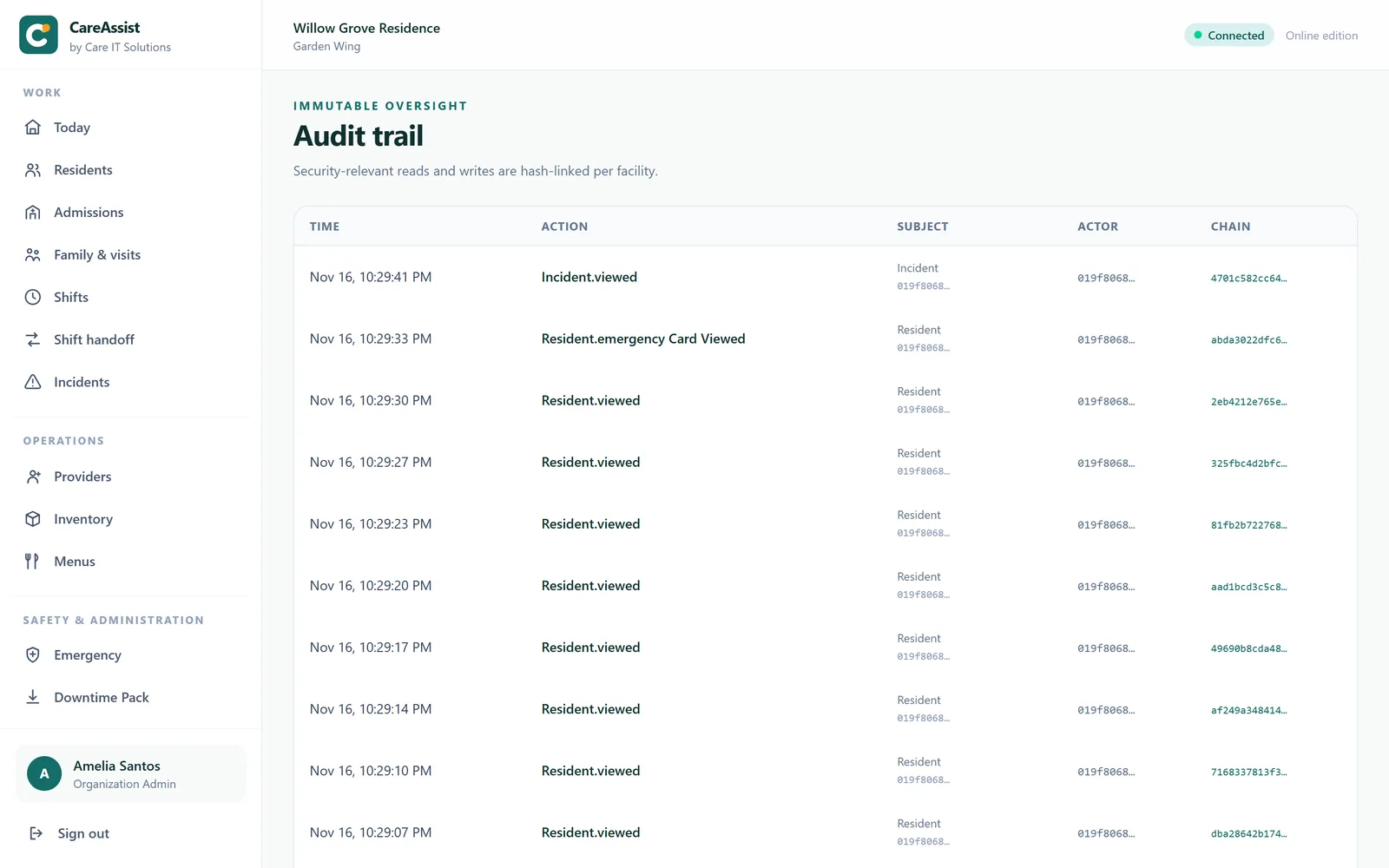
What this is, and is not
Assisted living software gets bought on promises and lived with for years. Here is the part most vendors leave for the implementation call.
CareAssist is not certified, and we do not represent it as HIPAA-attested. It is built with the controls a regulated deployment needs — individual accounts, two-factor, role-based permissions, an append-only record and a hash-chained audit trail — and an external security assessment is a deferred gate we will complete with a design partner. Any vendor telling you their software makes you compliant is selling you something software cannot do.
A live walkthrough on the real product — the morning medication pass, an incident filed at the scene, and what a surveyor would see afterwards.